
Git vs GitHub in 2025: Complete Beginner-to-Pro Guide with Commands

Githib
Git
Guthub-vs-git
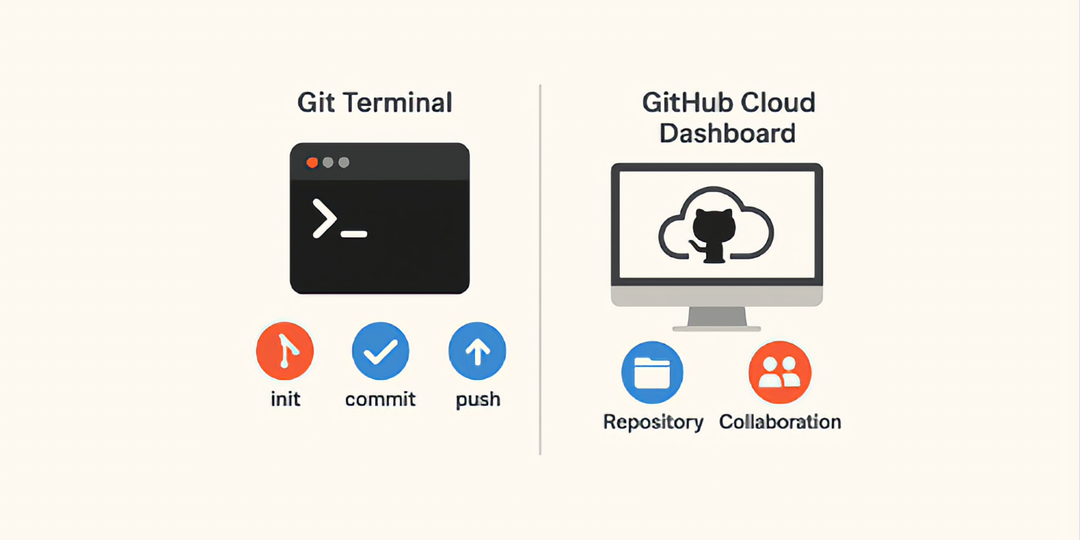
When people hear "Git" and "GitHub," they often assume they're the same thing. But they’re not. While Git is a tool that tracks changes in your code, GitHub is a platform that lets you store, share, and collaborate on that code with others. This blog breaks down these two technologies, their roles, and how they work together in the software development process.
1. What is Git?
Git is a free and open-source version control system that lets you:
- Track changes in code
- Revert to older versions
- Create branches to experiment safely
- Merge features and bug fixes into your main codebase
Git is local
You use it on your machine. Think of it as saving snapshots of your code’s history.
2. What is GitHub?
GitHub is a cloud platform that:
- Hosts your Git repositories online
- Let you collaborate with teams
- Supports open-source contributions
- Adds automation via GitHub Actions
3. Why Do People Confuse Them?
People confuse Git and GitHub because:
- GitHub uses Git under the hood
- The names sound similar
- Beginners often learn both at the same time
But remember:
Git = Version control system (local tool)
GitHub = Remote hosting + collaboration platform for Git
4. Key Differences Between Git and GitHub
| Feature | Git | GitHub |
|---|---|---|
| Type | Version control tool | Hosting + collaboration platform |
| Works on | Local machine | Cloud-based |
| Use case | Code versioning | Sharing, storing, reviewing code |
| Interface | Command line | Web-based UI, GitHub Desktop, CLI |
| Collaboration | No | Yes – PRs, Issues, Projects, Teams |
5. Git Workflow: Step-by-Step with Commands
Let’s say you're working on a project called portfolio-website.
Step 1: Initialize Git
1git initCreates a .git folder — This tracks changes.
Step 2: Add files
1git add .Stage all files in the folder.
Step 3: Commit changes
1git commit -m "Initial commit"Saves the staged changes with a message.
Step 4: View Git history
1git logShows previous commits and author info.
Step 5: Create a new branch (for feature development)
1git checkout -b feature/navbarStep 6: Merge the feature branch into main
1git checkout main
2git merge feature/navbar
6. GitHub Workflow: Collaborating Online
Once you've committed locally, push to GitHub to share.
Step 1: Create a repository on GitHub
Example: https://github.com/yourname/portfolio-website
Step 2: Link GitHub repo to local repo
1git remote add origin https://github.com/yourname/portfolio-website.gitStep 3: Push code to GitHub
1git push -u origin mainStep 4: Clone someone else’s repo (if needed)
1git clone https://github.com/user/project.gitStep 5: Fork a repository to contribute
Click Fork on GitHub → clone → push changes → make Pull Request.
7. Common Git Commands with Examples
| Command | What It Does |
|---|---|
| git status | Shows current state of files |
| git diff | Shows unstaged changes |
| git branch | Lists local branches |
| git checkout branch-name | Switches branches |
| git stash | Saves unfinished work temporarily |
| git rebase | Rewrites commit history |
| git reset --hard | Discards changes permanently |
| git pull | Pulls updates from GitHub |
| git push | Sends updates to GitHub |
8. Common GitHub Actions and Features
| GitHub Feature | Purpose |
|---|---|
| Pull Requests | Propose code changes |
| Issues | Report bugs or feature requests |
| GitHub Projects | Task boards (like Trello) |
| GitHub Actions | Automate testing and deployment |
| Wiki | Documentation |
| Insights | Track contributors and commits |
| Branch Protection Rules | Prevent direct pushes to main |
| Webhooks | Trigger external services |
9. Real-World Workflow Using Both Git and GitHub
Scenario: A Team of 3 developers building a blog
- Each dev clones the GitHub repo.
- They create branches: dev/post-feature, dev/comments.
- After testing locally, they push to their branches.
- Create Pull Requests to main.
- Code is reviewed and merged via GitHub.
- GitHub Actions deploys the site to Vercel.
10. Git and GitHub for Teams
- Protect main The branch is to avoid mistakes.
- Enforce code review via Pull Requests.
- Tag versions git tag and release on GitHub.
- Automate deployments with GitHub Actions + Vercel/Netlify.
11. Git vs GitHub FAQs
Q: Is GitHub only for open source?
No, GitHub offers private repositories and is used widely in enterprises.
Q: Can I use Git without GitHub?
You can manage code locally or with other Git hosting platforms like GitLab or Bitbucket.
Q: Do I need to know how to use Git for GitHub?
Yes. Git is the foundation. GitHub is a UI + cloud on top of it.
How Git and GitHub Shape Developer Habits
Over time, using Git and GitHub together changes how developers think:
- You write smaller, cleaner commits
- You document decisions through commit messages
- You review code more carefully before merging
- You learn to isolate features instead of rushing changes
These habits don’t just improve code they improve team communication and accountability.
Why Version Control Matters in Real Projects
Without version control, even small projects become fragile. One wrong edit can break everything, and there’s no safe way back.
Git provides:
- Confidence to experiment
- Safety nets when bugs appear
- A clear history of why something changed
GitHub adds:
- Transparency for teams
- Review systems that prevent bad code
- Backup against local system failures
This combination is why version control is considered non-negotiable in professional development.
GitHub as a Career Tool (Not Just Code Hosting)
Beyond code, GitHub has become a developer portfolio.
Recruiters and tech leads often look at:
- How clean your commit history is
- Whether you write meaningful pull requests
- How you collaborate in issues and discussions
- Your consistency over time
A well-maintained GitHub profile can speak louder than a resume.
How Mastery Improves Productivity
Developers fluent in Git and GitHub:
- Resolve conflicts faster
- Fear breaking code less
- Collaborate without stepping on each other
- Ship features with confidence
This is not about memorizing commands it’s about thinking in versions and changes, not files.
Final Words
Git is the engine. GitHub is the garage where teams park, maintain, and upgrade their engine together.
Understanding both is essential for modern software development in 2025 whether you're solo, in a team, or contributing to open source.
Subscribe to our Newsletter
Provide your email to get email notification when we launch new products or publish new articles